Product details
MT4 Two-Way Interactive Copy Trading System V3.0 Product Overview
`MT4 Copy Trading-V3.0.ex4` | DLL License Authorization Required |
## System Overview
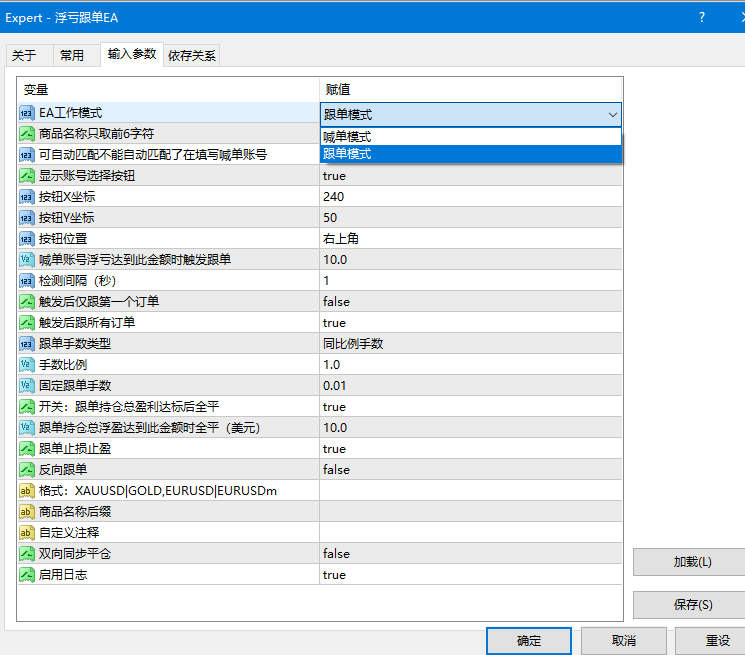
A single EA file contains both signal provider (master) and copier (slave) functionality, selectable via parameter settings.
- **Master Account**: Attach the EA and select "Signal Provider Mode" to broadcast trading signals.
- **Copier Account**: Attach the EA and select "Copier Mode" to automatically execute copied trades.
Designed for use when two MT4 instances run on the same computer.
---
## Parameter Settings
- ### Mode Selection
- | Parameter | Description |
- |------|------|
- | EA Work Mode | Signal Provider Mode / Copier Mode |
- ### Signal Provider Parameters
- | Parameter | Description |
- |------|------|
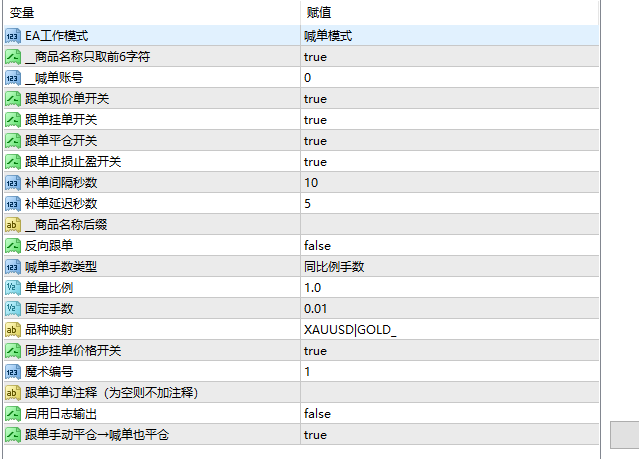
- | Truncate Symbol Name to First 6 Characters | Retains only the first 6 characters of the symbol name |
- ### Copier Parameters
- | Parameter | Default Value | Description |
- |------|--------|------|
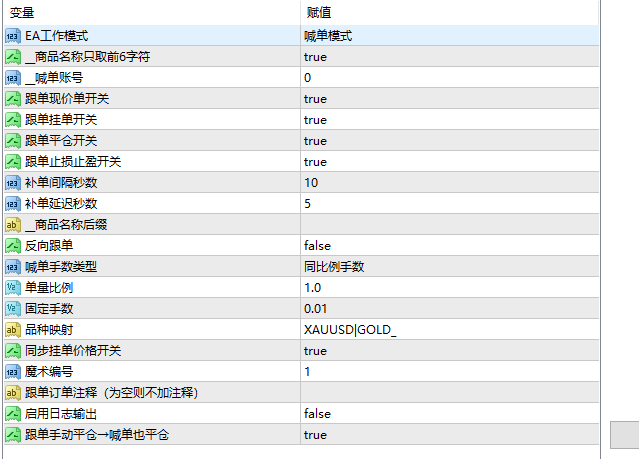
- | Master Account Number | 0 | Enter the numerical account ID of the signal provider |
- | Copy Market Orders | true | Whether to copy market orders |
- | Copy Pending Orders | true | Whether to copy pending orders |
- | Copy Order Close | true | Whether to close orders when the master account closes them |
- | Sync SL/TP | true | Whether to synchronize Stop Loss and Take Profit levels |
- | Order Sync Interval (Sec) | 10 | Time interval for checking and resyncing missing orders |
- | Symbol Suffix | Empty | Symbol suffix for the copier account (e.g., enter `m` for XAUUSD → XAUUSDm) |
- | Reverse Copying | false | When enabled, Buy orders become Sell orders and vice versa |
- | Lot Size Type | Proportional Lot Size | Proportional Lot Size / Custom Fixed Lot Size |
- | Lot Multiplier | 1 | Multiplier ratio for proportional copy trading (e.g., enter 10 for 10x) |
- | Fixed Lot Size | 0.01 | Fixed lot size used in custom lot size mode |
- | Symbol Mapping | XAUUSD\|GOLD_ | Custom symbol mapping format: Source Symbol\|Target Symbol |
- | Sync Pending Order Price | true | Synchronize pending order price adjustments modified by the master account |
- ### Common Parameters
- | Parameter | Default Value | Description |
- |------|--------|------|
- | Magic Number | 1 | EA identification code (Copier order magic number = Master order ticket) |
- | Custom Comment | Empty | Custom order comment for copied trades |
- | Enable Log Output | true | Disable to suppress all log messages |
- | Two-Way Sync Close | true | Automatically close the master trade when the copier trade is closed manually |
## Two-Way Sync Close Description
- **Master Close → Copier Close**: Standard copy trading close functionality.
- **Copier Manual Close → Master Close**: Requires "Two-Way Sync Close" to be enabled.
---
## Automatic Symbol Matching
- When the EA launches, it automatically scans all available symbols and builds a mapping table:
- - `XAUUSD` → `XAUUSDm` (if suffix is `m`)
- - Automatically recognized without manual setup
- Manual configuration is also supported:
- - Enter `m` under `__Symbol Suffix` (Recommended)
- - Or enter `XAUUSD|XAUUSDm` under `Symbol Mapping`
---
## Important Notes
- 1. Both MT4 terminals must run on the **same computer**.
- 2. The "Master Account Number" parameter in the copier EA must be filled with the correct numerical account ID of the signal provider.
- 3. The licensed version requires checking "Allow DLL imports" in MT4 EA settings.
Applicable Scenarios
This product is ideal for traders who need to copy trades across MT4/MT5 accounts for strategy testing, chart analysis, account management, or automated trading assistance. It is strongly recommended to test parameters and compatibility in a demo environment prior to live deployment.