Product details
MT5 Copy Trading - Delayed Copying by Order Count V1.0 Product Overview
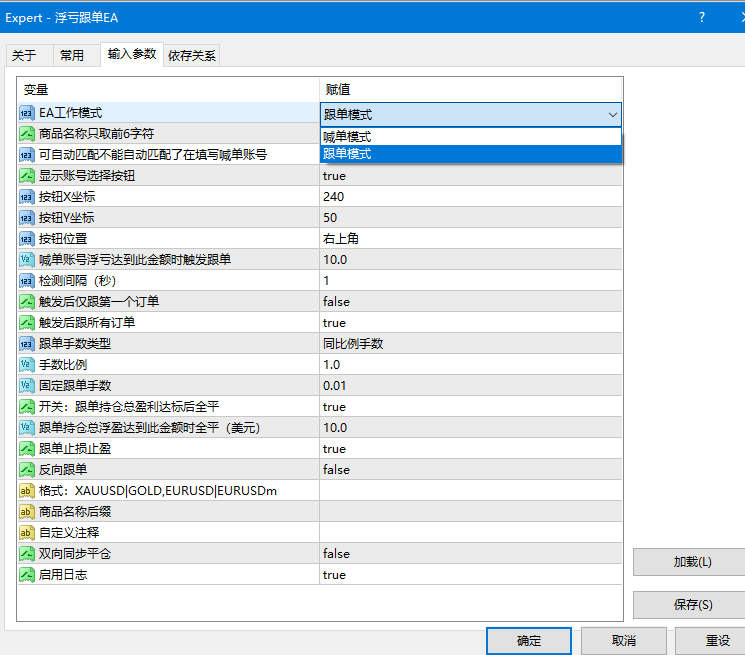
The EA supports two operating modes, which can be switched via the "EA Work Mode" parameter:
- Provider Mode (Default)
- Writes order details of this account into a CSV file for follower accounts to read.
- Run this mode on the signal provider account.
- Follower Mode
- Reads the CSV file from the provider account and automatically copies its order actions.
- Run this mode on the follower account.
- ================================================================
- 2. Parameter Descriptions
- ================================================================
- [Provider Parameters]
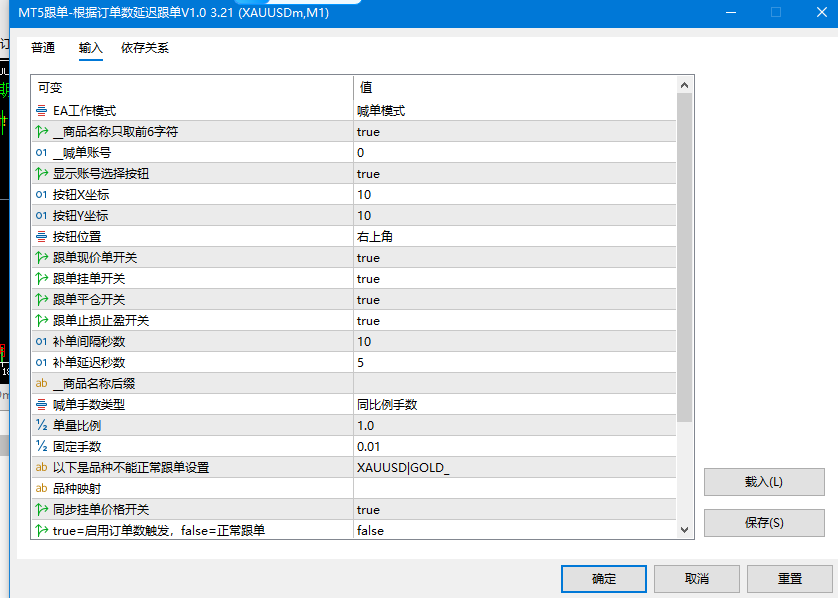
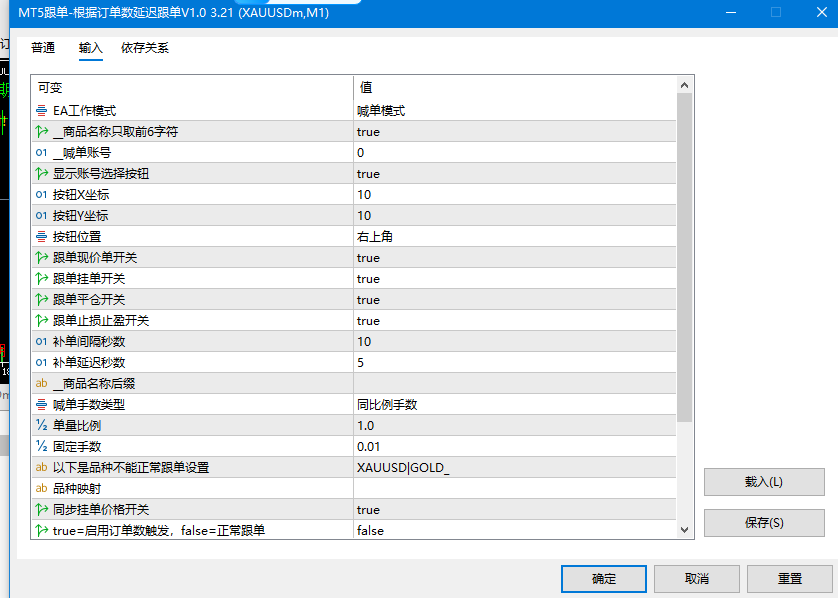
- Truncate Symbol to First 6 Characters Default: Enabled
- Truncates symbol names to the first 6 characters when writing to CSV to handle suffix differences across platforms.
- [Follower Parameters]
- Provider Account Default: 0 (Auto Scan)
- Enter the MT5 account number of the provider account. Set to 0 to automatically scan for available accounts.
Show Account Selection Button Default: Enabled
Displays an account switching panel on the chart; click to switch provider accounts.
Button X-Coordinate / Button Y-Coordinate Default: 10/10
Positional offset (in pixels) for the account selection panel.
Button Position Default: Top Right
Panel anchor location. Options: Top Left / Top Right / Bottom Left / Bottom Right.
Copy Market Orders Switch Default: Enabled
Whether to copy market orders (Buy/Sell) from the provider account.
Copy Pending Orders Switch Default: Enabled
Whether to copy pending orders (Limit/Stop orders) from the provider account.
Copy Close Orders Switch Default: Enabled
Whether to copy order closing actions from the provider account.
Copy SL/TP Switch Default: Enabled
Whether to synchronize Stop Loss and Take Profit modifications from the provider account.
Retry Copy Interval (Seconds) Default: 10 Seconds
After detecting an uncopied order, retry copying every N seconds.
Copying Delay (Seconds) Default: 5 Seconds
Delay execution by N seconds after detecting a new order to avoid excessive slippage.
Symbol Suffix Default: Empty
Symbol suffix on the follower platform. For instance, entering "m" converts XAUUSD to XAUUSDm.
- Lot Size Type Default: Proportional Lots
- Proportional Lots: Scale lot size based on ratio;
- Custom Lots: Use a fixed lot size for all orders.
Lot Ratio Default: 1
Lot multiplier under proportional mode: 1 = equal size, 0.5 = half size, 2 = double size.
Fixed Lot Size Default: 0.01
Fixed lot size per order under custom lot mode.
- Symbol Mapping Default: Empty
- Manually specify symbol mappings in the format: XAUUSD|GOLD,EURUSD|EURUSDm
- Separate multiple mappings with commas. Left is provider symbol, right is follower symbol.
Sync Pending Order Price Switch Default: Enabled
Whether to synchronize the pending order price from the provider account when copying pending orders.
- [Order Count Trigger Parameters]
- Enable Order Count Trigger Default: Disabled
- Disabled: Normal copy mode; copy orders immediately when the provider opens them.
- Enabled: Long and short orders are counted independently; copying begins only after reaching the set order count.
- Buy Order Trigger Threshold Default: 3
- Copying buy orders starts when the provider's long order count reaches N.
- All buy orders before reaching the threshold are skipped; only buy orders opened after triggering are copied.
- Sell Order Trigger Threshold Default: 3
- Copying sell orders starts when the provider's short order count reaches N.
- All sell orders before reaching the threshold are skipped; only sell orders opened after triggering are copied.
- [Common Parameters]
- Magic Number Default: 1
- Magic number identifier for copied orders. Set unique values if running multiple copy trading EAs simultaneously.
Custom Comment Default: Empty
Comment string for copied orders. Automatically generated if left empty.
Enable Log Output Default: Enabled
Whether to output detailed execution logs in the MT5 Experts tab; can be disabled after debugging.
- ================================================================
- 3. Order Count Trigger Feature Details
- ================================================================
- Feature Description:
- Long and short orders are counted and triggered independently without affecting each other.
- Ideal for provider accounts using grid/martingale scaling strategies—copying starts from the N-th order,
- avoiding entry into early low-priced positioning orders.
- Buy Order Trigger Logic (Same logic applies to sell orders):
- Buy order count < Trigger threshold: Copy no buy orders, stand by.
- Buy order count reaches trigger threshold for the first time: Triggered!
- → All current buy orders are added to the skip list.
- → Only buy orders opened AFTER the trigger moment will be copied.
Usage Example (Buy Order Trigger Threshold = 3):
- Provider Account Order Opening Sequence:
- 1st buy order: Do not copy (Buy order count has not reached 3)
- 2nd buy order: Do not copy (Buy order count has not reached 3)
- 3rd buy order: Triggered! Mark 1st, 2nd, and 3rd orders as skipped
- 4th buy order: Copied ✓ (Opened after triggering)
- 5th buy order: Copied ✓
- 6th buy order: Copied ✓
Concurrent sell orders are unaffected by the buy order trigger status and are evaluated independently based on the Sell Order Trigger Threshold.
- Important Notes:
- 1. Once triggered, the state will not automatically reset unless you manually switch provider accounts or reload the EA.
- 2. When orders existing prior to triggering are closed, the follower account will NOT copy the close action
- (as these orders were never copied in the first place).
- 3. The trigger count includes active open positions and excludes pending orders.
- ================================================================
- 4. Account Selection Panel
- ================================================================
- In Follower Mode, an account selection panel is displayed on the chart:
- - Automatically scans for all accounts running the Provider EA within the current MT5 terminal
- - Click an account button to switch provider sources in real time without reloading the EA
- - Automatically refreshes the available account list every 10 seconds
- - Copying logs and trigger states are reset synchronously after switching accounts
- ================================================================
- 5. Important Notes
- ================================================================
1. Both provider and follower accounts must run within the same MT5 terminal on the same computer.
2. Both the Provider EA and Follower EA must be loaded onto charts to function properly.
3. If symbol names differ across platforms, prioritize manually setting the "Symbol Mapping" parameter,
or enable "Truncate Symbol to First 6 Characters" for automatic matching by the EA.
4. The follower account must have sufficient margin; otherwise, order execution will fail.
5. It is recommended to test on a demo account first to verify copy trading performance before using it on a live account.
Use Cases
This product is suitable for traders looking to copy MT4/MT5 trading resources for strategy testing, chart analysis, account management, or automated trading assistance. It is recommended to test parameters and compatibility in a demo account environment before live execution.