Product details
OSMA Multi-Timeframe Trading EA 1.0 Product Overview
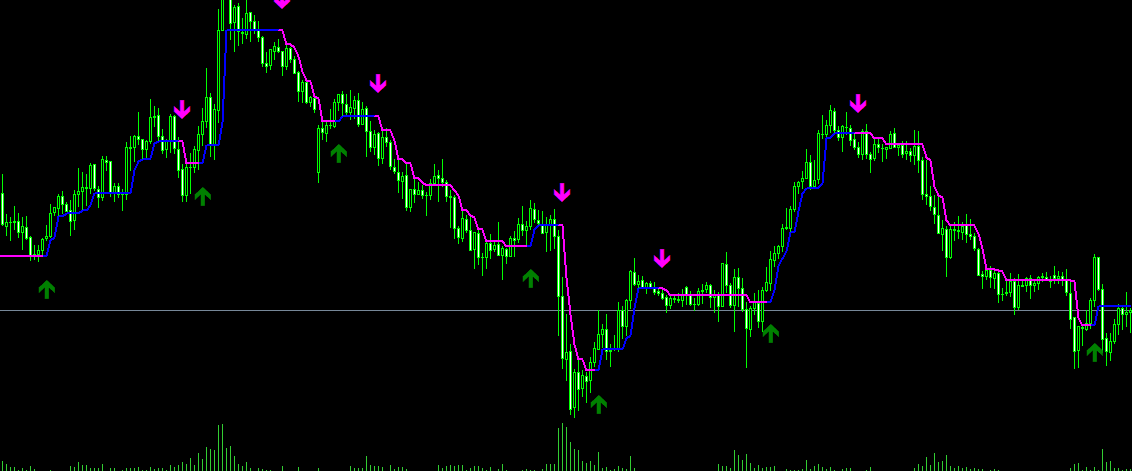
- This EA is based on the OSMA (Oscillator of Moving Average) indicator, combined with multi-timeframe confluence principles,
- to automatically identify trend direction and execute trades. The strategy features a built-in robust entry filtering mechanism and signal confirmation logic,
- effectively reducing false signals, making it well-suited for strong trending market environments.
Custom Indicator Used: 33333333333 (OSMA Volume MA)
Must be used together with the custom indicator file.
- ================================================================================
- 2. Key Features
- ================================================================================
- ✓ Multi-timeframe confluence analysis for more reliable signals
- ✓ Entry confirmation on candle close to effectively avoid false breakouts
- ✓ Clear entry and exit rules with zero subjective discretion
- ✓ Supports both long (buy) and short (sell) trading
- ✓ Holds orders in only one direction at a time
- ================================================================================
- 3. Suitable Markets and Instruments
- ================================================================================
- 【Suitable Markets】
- ✓ Instruments with strong trending behavior
- ✓ Markets with moderate volatility
- ✓ High-liquidity trading sessions
- 【Recommended Instruments】
- - Major Forex pairs: EURUSD, GBPUSD, USDJPY, etc.
- - Precious Metals: Gold (XAUUSD), Silver (XAGUSD)
- - Indices: US30, NAS100, etc.
- 【Unsuitable Conditions】
- ✗ Highly volatile sideways/ranging markets
- ✗ Major news release events
- ✗ Low-liquidity trading periods
- ================================================================================
- 4. Installation Steps
- ================================================================================
1. 【Install Indicator】
Copy 33333333333.ex4 to the MetaTrader/MQL4/Indicators/ folder
2. 【Install EA】
Copy OSMA Multi-Timeframe Trading EA.ex4 to the MetaTrader/MQL4/Experts/ folder
- 3. 【Attach to Chart】
- ⚠️ IMPORTANT: The chart MUST be set to the M1 (1-minute) timeframe
- Drag and drop the EA onto the chart
4. 【Parameter Setup】
Adjust parameters in the pop-up properties window as needed (see next section for details)
- 5. 【Enable AutoTrading】
- Click the "AutoTrading" button on the MetaTrader toolbar (turns green)
- Ensure a smiling face icon appears in the top-right corner of the chart
- ================================================================================
- 5. Key Parameters Description
- ================================================================================
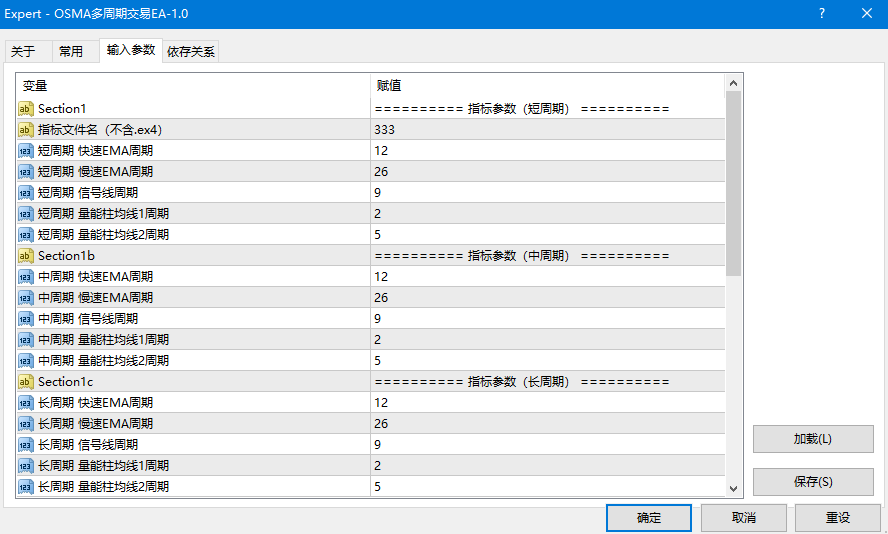
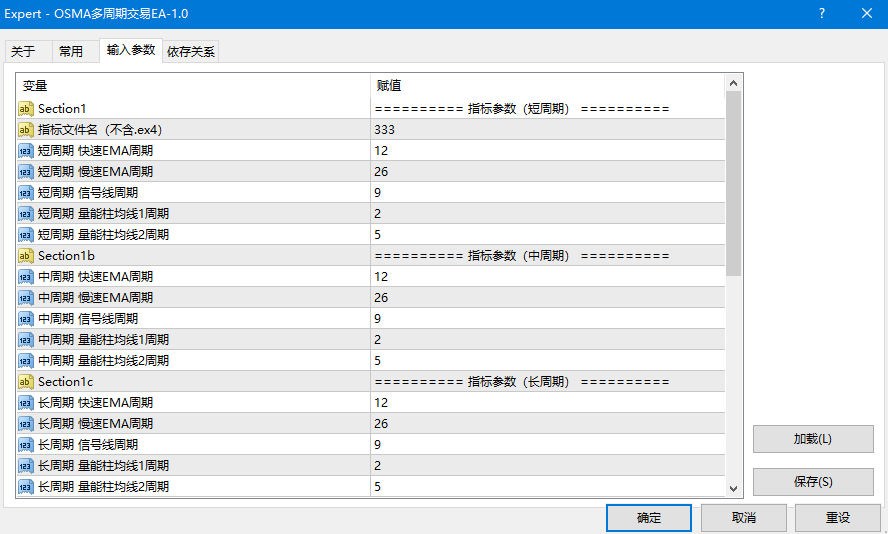
- IndicatorName Indicator file name (Default: 33333333333, do not modify)
- LotSize Trading lot size (Default: 0.1, adjust based on account balance)
- MagicNumber Magic number to distinguish EA orders (Default: 20240617)
- Slippage Allowed slippage (Default: 30 points)
- StopLoss Fixed stop loss in points (0 = disabled)
- TakeProfit Fixed take profit in points (0 = disabled, exits automatically via strategy signals)
- ThresholdValue Trend strength threshold (Default: 0.4, fine-tune per instrument)
- EnableBuy Enable buy/long trades (true/false)
- EnableSell Enable sell/short trades (true/false)
- EnableTimeFilter Enable trading session time filter
- StartTime Trading start time (Format: HH:MM)
- EndTime Trading end time (Format: HH:MM)
- CloseAtEndTime Automatically close orders when end time is reached
- ShowComment Show info panel on the chart
- 【Threshold Reference】
- - High-volatility instruments (e.g., XAUUSD): Recommended 0.5 ~ 0.8
- - Low-volatility instruments (e.g., EURUSD): Recommended 0.2 ~ 0.4
- ================================================================================
- 6. Operation Monitoring
- ================================================================================
- - The info panel at the top-left of the chart displays real-time indicator values and position status
- - The "Experts" tab at the bottom of MT4 logs all signal triggers and order executions
- - Orders can be filtered and viewed in "Account History" using the Magic Number
- ================================================================================
- 7. Risk Disclaimer & Usage Recommendations
- ================================================================================
- ✓ Recommended to test on a demo account for at least 1 month to verify stability
- ✓ Use small lot sizes (0.01 ~ 0.05) when starting live trading
- ✓ Set a fixed Stop Loss (StopLoss) as an additional risk safety measure
- ✓ Avoid running the EA around major news releases (NFP, CPI, Central Bank rate decisions, etc.)
- ⚠️ Forex margin trading carries high risk and may result in the total loss of your capital.
- This EA is intended for educational and research purposes only and does not constitute financial advice.
- Past performance is not indicative of future returns. Please assess the risks carefully before use.
Use Cases
This product is suitable for traders seeking MT4 EA resources for strategy testing, chart analysis, account management, or automated trading support. Before live deployment, it is strongly recommended to test settings and compatibility in a demo account environment.